★★★★★ 4.6 Rating · 100M+ Downloads
Custom Ringtones for iPhone
Turn any Spotify or YouTube song into your iPhone ringtone in seconds. No GarageBand needed, no computer needed. Just pick a song and ring to it.

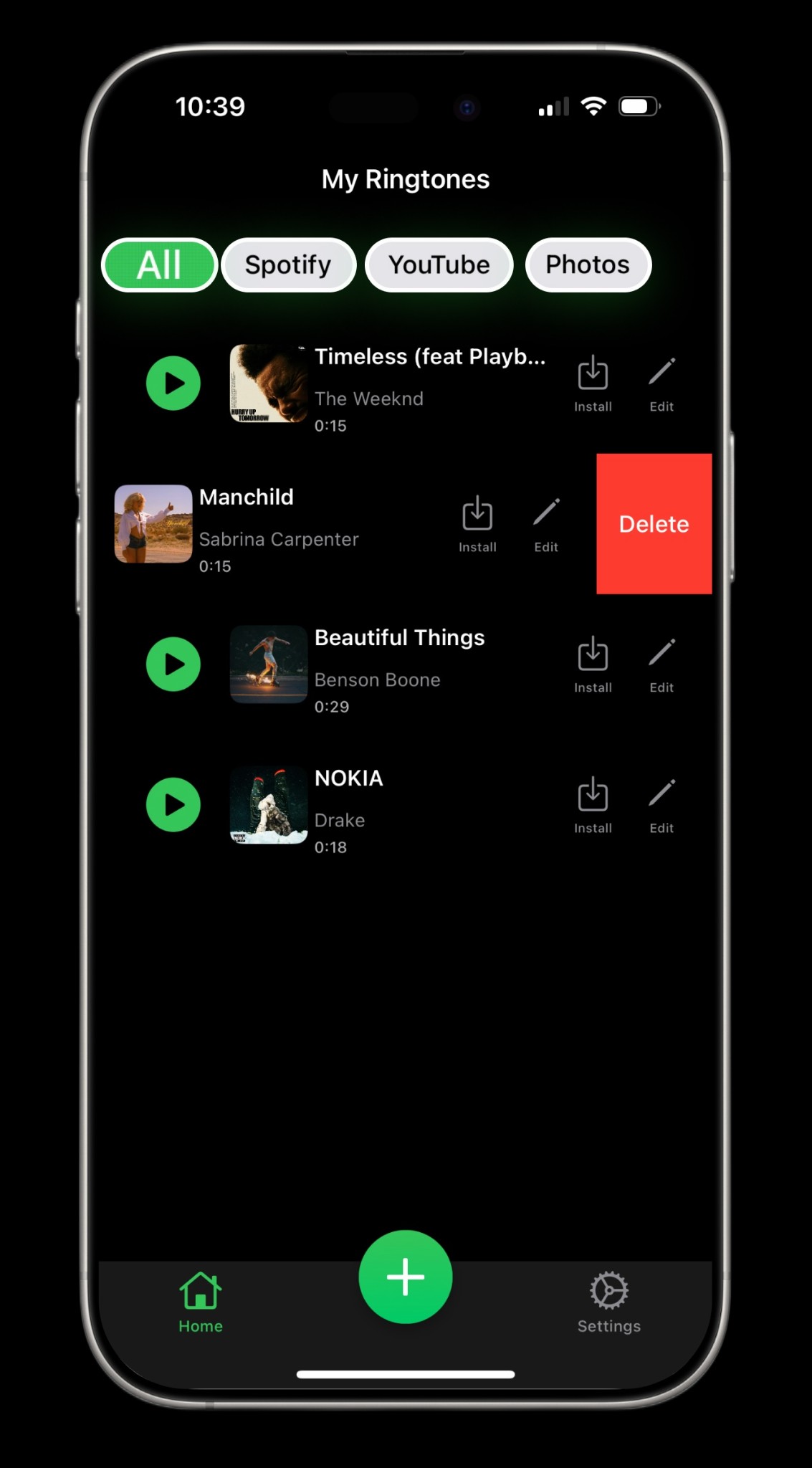
Turn any Spotify or YouTube song into your iPhone ringtone in seconds. No GarageBand needed, no computer needed. Just pick a song and ring to it.
Access millions of songs and create the perfect custom ringtone — all from your iPhone.
Browse millions of songs from Spotify and YouTube. From chart-toppers to rare tracks — if you can find it, you can ring to it.
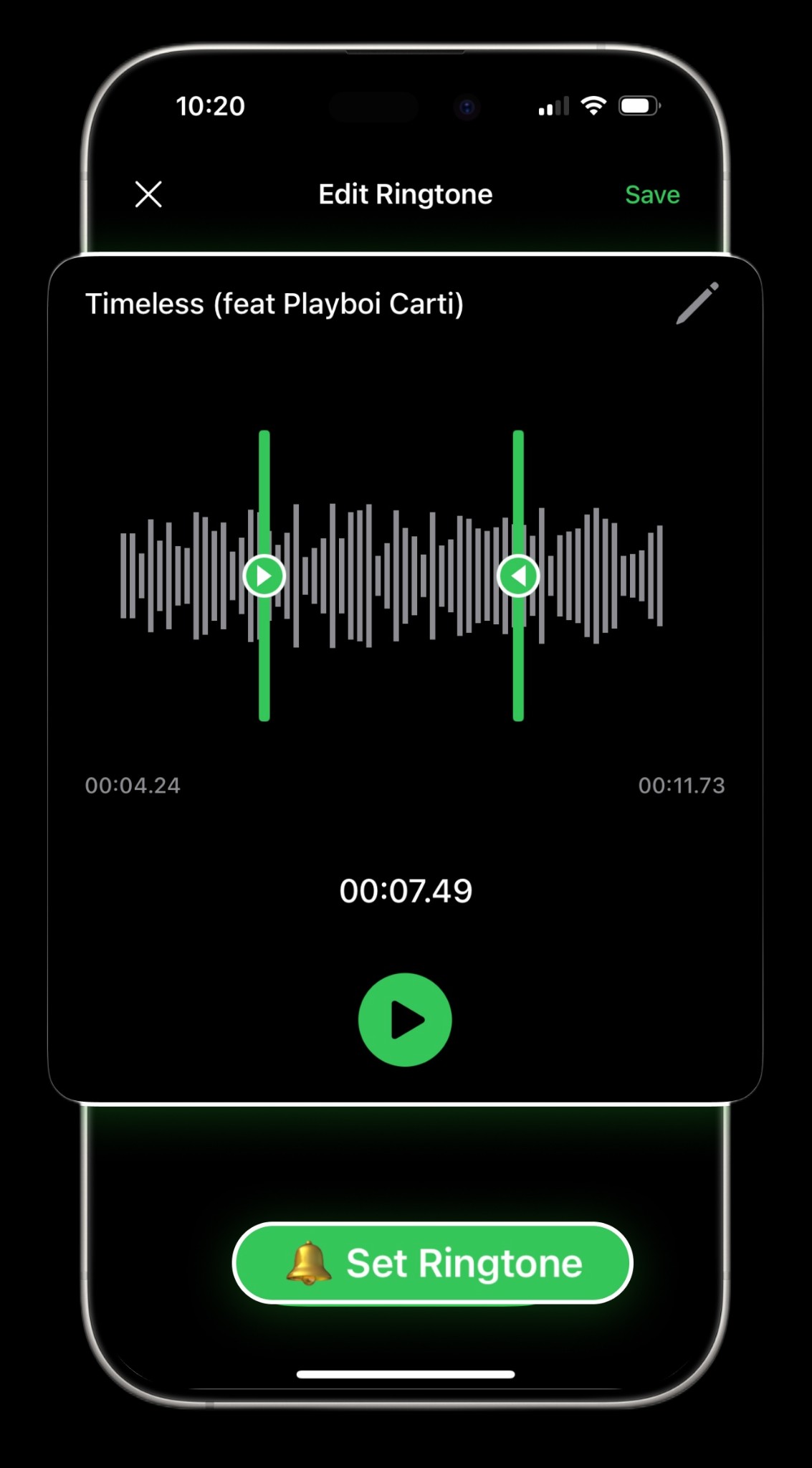
Trim any song to capture the perfect 30-second hook, beat drop, or chorus. No more awkward intros or fade-ins.
Set your ringtone directly from the app. No GarageBand, no computer, no complicated steps. It just works.
Give your mom her favorite song, your best friend that inside joke, and your boss something professional.
Not just ringtones — set any song as your text message alert tone too. Personalize every notification.
Turn any video from your Photos app into a ringtone. Perfect for personal recordings and viral sounds.
No technical knowledge needed. Download a ringtone and set it in minutes.
Search for any song on Spotify or YouTube, or choose a video from your camera roll. Tap to download it instantly.
Use the built-in editor to select the exact part of the song you want — the chorus, the drop, or your favorite lyric.
Tap to set it as your ringtone or text tone — done. No GarageBand needed, no computer needed. Switch anytime.
Everything you need to know about creating custom ringtones for iPhone.
With iRingtone, just search for a song, tap download, optionally trim it, and set it as your ringtone — all within the app. No computer or GarageBand required. It's the easiest way to get free ringtones for iPhone.
Yes! iRingtone connects to Spotify's catalog so you can browse millions of songs and turn any of them into a ringtone for your iPhone. Just search, download, and set.
iRingtone is free to download and includes a selection of free songs. For unlimited access to millions of tracks from Spotify and YouTube, you can subscribe to a monthly or yearly plan.
No. iRingtone lets you set ringtones directly without GarageBand. On iOS 26 and later, GarageBand is not needed at all. On older iOS versions, the app guides you through a simple process.
Absolutely. iRingtone supports per-contact customization. Give each person in your contacts their own unique ringtone or text tone.
Yes! You can search YouTube directly within iRingtone, download any video's audio, trim it, and set it as your iPhone ringtone or text tone.
Yes. iRingtone lets you import any video from your Photos app and convert its audio into a custom ringtone. Great for personal recordings or viral sounds.